
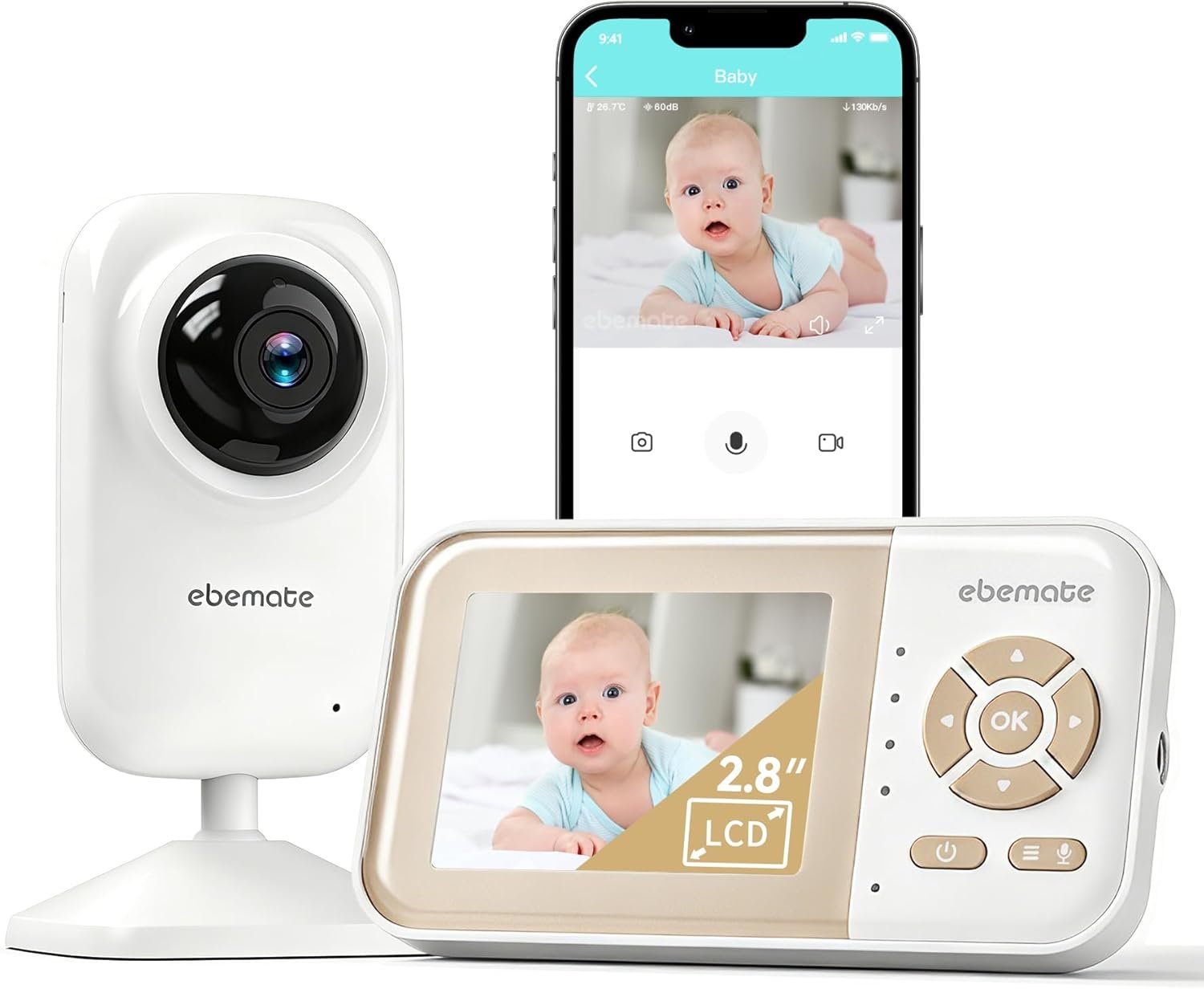
ebemate Video Baby Monitor | 2.8″ LCD Screen | 1200FT Range | Temperature & Feeding Alerts | No-Glow Night Vision | 2-Way Talk EBE28
$39.99
Related Products


Product description

Ebemate Video Baby Monitor with Camera and Video– New Products !!
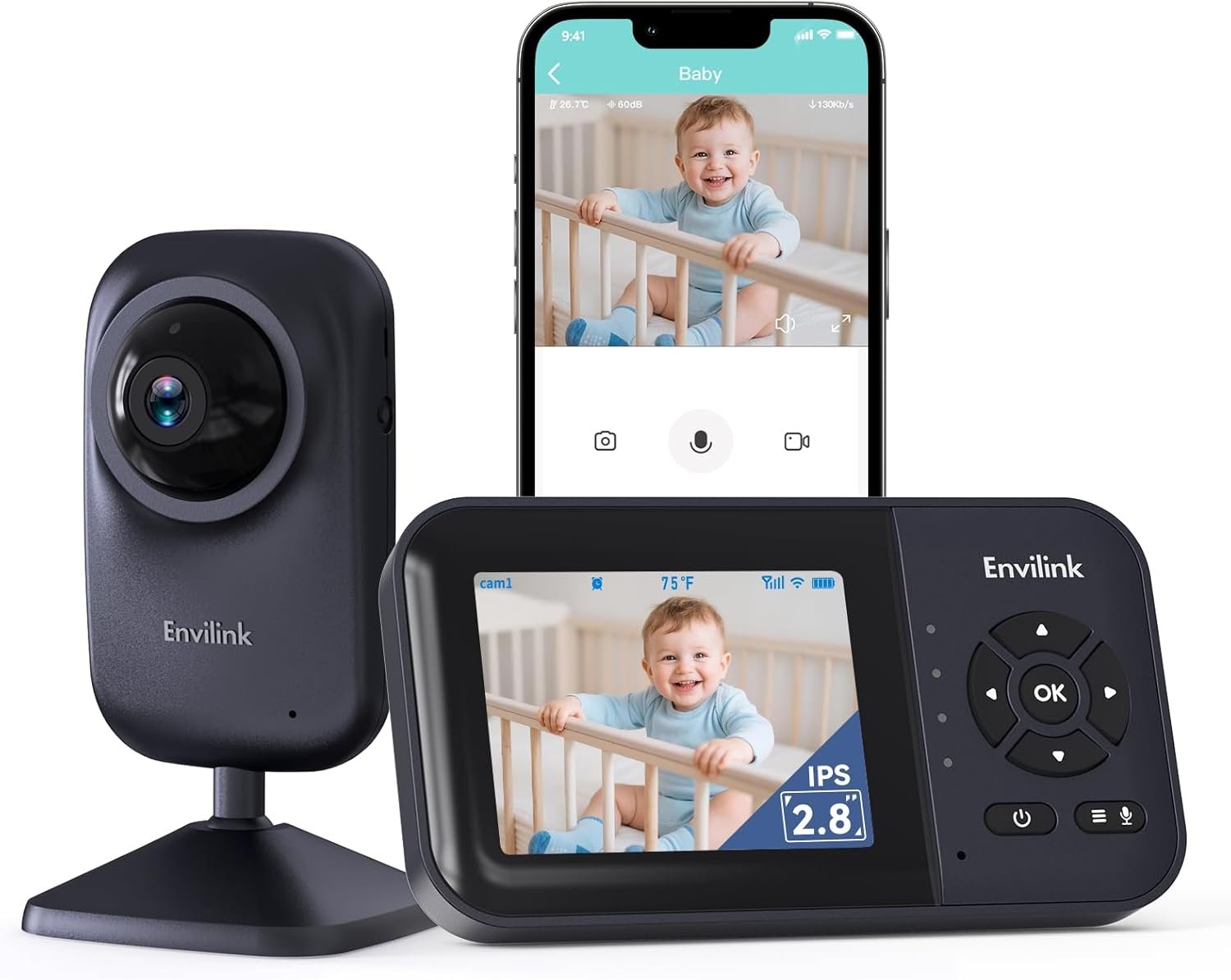
Ebemate baby monitor app and screen used to look your Kids. You can View baby sleep in the baby’s room Or baby playing in the
living room by Monitor Display Screen.Or you can check the real-time baby situation By Ebemate APP if you work in office, baby monitor with screen and phone app very convenient for your look after children. video baby monitor with screen and app with Six Lullabies to Lull Your Baby To Sleep / monitor para bebe
Plug and Play Monitor Very Easy & Convenient For The Elderly To Use! Use it No WIFI !

FAQs & Troubleshooting:
My baby monitor is not working normally or is performing erratically.
1: Confirm proper installation power supply is securely plugged in. You should only use the our power supply provided with your baby monitor.
Make sure the electrical outlet is working and not controlled by a wall switch.
2: Make sure the parent unit and baby unit are turned on. Make sure that the blue light on the back of the camera is on.
3: The parent unit may be too far away from the baby unit. Or, other equipment or devices in your house may be affecting the connection between your parent unit and baby unit(s). Try placing the parent unit at least 3 feet away from WiFi devices, including laptops, smartphones, router, tablets and other WiFi streaming devices. Then, try to move your parent unit around (e.g. closer to baby unit or away from Wi-Fi devices) to find better reception. When placing the units closer together; note that they should not be closer than 3 feet apart.
4: Try resetting the parent and baby unit:
Step 1. Disconnect the power to the baby unit and parent unit.
Step 2. Wait approximately 15 secs.
Step 3. Reinstall adapter to the baby and parent unit.
Step 4. Wait one minute for the baby device and parent device to reconnect.
*Noise static and other erratic performance may be caused by nearby electronic equipment and other cordless devices using the same frequency.Separate your baby monitor from these devices as much as possible.
Unable to scan to connect to network
First you need to check the following issues:
1) Whether the baby camera is properly plugged in and turned on
2) Whether the baby camera enters the network Pairing mode normally
3) Whether the app side can normally generate the correct screenshot
4) Whether the camera prompts successful code scanning
5) Can not read the prompted what
6)What is the specific tip of not being able to connect to the network
All of the above may lead to the device can not be normal with the network.If the baby camera can scan the code normally, but can not connect to the network prompts network connection timeout, you need to confirm whether the router is 5G or the phone’s is correct.If you confirm that you have entered the Pairing mode and keep reminding the code scanning timeout, try restarting the baby camera and re-enter the Pairing mode to scan the code.
Baby monitor default setting is to enter VOX mode:
When no sound is detected, the display will turn off to enter power saving mode, and when sound is detected, thedisplay will light up to remind you.
Baby Monitor with Camera and Video

Automatic Infrared Night Vision
Ebemate Baby Montior with automatic light sensor precisely detects the light conditions and automatically shifts between day and night modes

1200FT Long Range monitor para bebe
1200FT Long Range Make you put Camera in different Floor or Space

Temperature Display
Ebemate Video camera Monitor with equipped with a temperature sensor Make you know your baby is comfortable and safe
Tips: Monitor only Support 2.4G WIFI Connectivity. No 5G Wifi!

Ebemate Video Baby Monitor Support your View Baby By Display Screen & Moible App
Your can use Display to View your baby in home, Wifi Wireless Monitor Support App To View Your Cute Baby if you are in office or outside.
Our App Is Compatible With Ios And Android Devices.
monitor para bebe

Baby Feeding Reminder by using Ebemate Video Baby Monitor
You can set up Baby Feeding Alarm reminder function with 2/4/6 Hours for your cute Baby.
It is easy for you look after your baby by Ebemate Baby Monitor
Add to Cart
Add to Cart
Add to Cart
Add to Cart
Add to Cart
Add to Cart
Customer Reviews
4.1 out of 5 stars 757
4.1 out of 5 stars 757
4.1 out of 5 stars 71
4.0 out of 5 stars 213
4.0 out of 5 stars 23
4.1 out of 5 stars 71
Price
$39.99$39.99 $59.99$59.99 $92.99$92.99 $59.99$59.99 $72.99$72.99 $59.99$59.99
AI Function
X X
✓
X X
✓
Baby Growth Album & Sleep Reports
X X
✓
X
✓
✓
FT Range
1200FT 1200FT 1200FT 1200FT 1500FT 1200FT
Wifi On/Off Switch
X X
✓
X
✓
✓
Screen Size
2.8 2.8 2.8 2.8 5.0 2.8
Connect The Smartwatch
X X
✓
X X
✓
【Dual-Mode Flexibility】Choose local connection (1200ft range) for in-home privacy without Wi-Fi, or connect to 2.4GHz (5G not supported) Wi-Fi via the ebemate app for remote viewing anywhere Note:Not Support 5G Wi-Fi
【Silent Night Vision & Soothing】Automatic no-glow infrared ensures clear night viewing without disturbing sleep, complemented by 5 built-in calming lullabies for a peaceful rest.
【Portable 2-Way Talk & VOX】The compact 2.8″ unit features clear audio; Smart VOX mode saves battery by dimming the screen during silence and waking instantly to sound alerts for extended monitoring.
【Smart Nursery Guardian】Featuring automatic feeding notifications and real-time temperature detection, this monitor keeps you informed of your baby’s needs and room conditions
【Expandable Multi-Scene Use】Supports up to 4 cameras with 360° pan and 120° tilt. Plug-and-play design makes it perfect for monitoring babies, toddlers, or pets in multiple scenarios.
【Bank-Level Security】 FHSS technology and exclusive encryption create a hack-resistant private network, ensuring only you can access the feed with bank-level protection.
8 reviews for ebemate Video Baby Monitor | 2.8″ LCD Screen | 1200FT Range | Temperature & Feeding Alerts | No-Glow Night Vision | 2-Way Talk EBE28
Add a review

$39.99
Ricky –
Jonathan B –
William S –
Elise Larabel –
Laudenya –
Jasmine Harmon –
Excelente juego cumplió mis expectativas me encantó –
James D –